|
||||||||||||||||||||||||||||||||||||||||||||
|
Last time I said this issue would be about building a tiny agent. I moved it back one slot. An agent needs a brain, and most of you are renting yours the expensive, boxed-in way. So before we build anything, let's talk about the part underneath: the model. You can just pick your own modelThe $20 chat windowIf you use AI today, you probably pay a monthly subscription for a chat app. It's a fine product. It also means one company's model, one company's interface, and your history living in their product. You can't see what any single question costs, and you can't swap the brain when a better one shows up. There's another way to buy the same thing. Instead of subscribing to the app, you rent the model directly, by usage, through what's called an API. Then you bring your own chat window.
A subscription is a buffet. An API is a menu. Which is cheaper depends on how hungry you are.
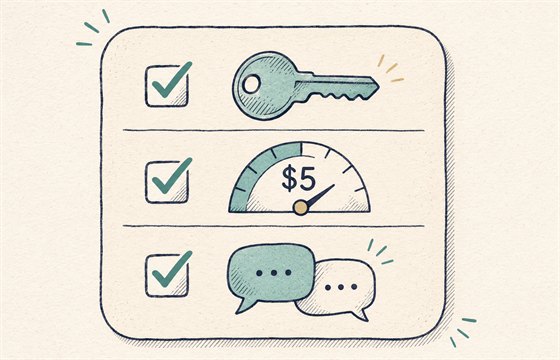
Also, it's the same plumbing an agent runs on. Once you can talk to a model through a key, you can point anything at it. Step 1: get a keyAn API key is a long password that says "bill this to me." You get one from each provider. Two to start with: Anthropic (the Claude models). Create an account at the Claude Console, add a small credit balance on the Billing page, then create a key on the API keys page. This is separate from a Claude.ai subscription, and it's billed separately. OpenRouter. One account, one key, hundreds of models from many labs, including the open ones. Add credits on the Credits page and create a key in your settings. There's a small fee when you buy credits, and no markup on the model prices themselves. It also has a handful of free models, which are rate-limited (roughly 50 requests a day, more once you've bought some credits). Treat keys like passwords. Never paste one into a screenshot, a chat, or a public GitHub repo. Set a monthly spend limit before you do anything else. If a key leaks, delete it and make a new one. It takes thirty seconds. Step 2: give it a chat windowThis is where the old laptop from issue one pays off. Open WebUI is a free, self-hosted chat interface that looks and feels like the apps you're used to. It runs on your own machine, and it connects to any provider that speaks the common API format. Anthropic and OpenRouter both do.
If you have Docker installed, it's one command:
Open localhost:3000 and create the first account, which becomes the admin. Then go to Settings → Admin → Connections, click the plus next to the OpenAI connections, and add:
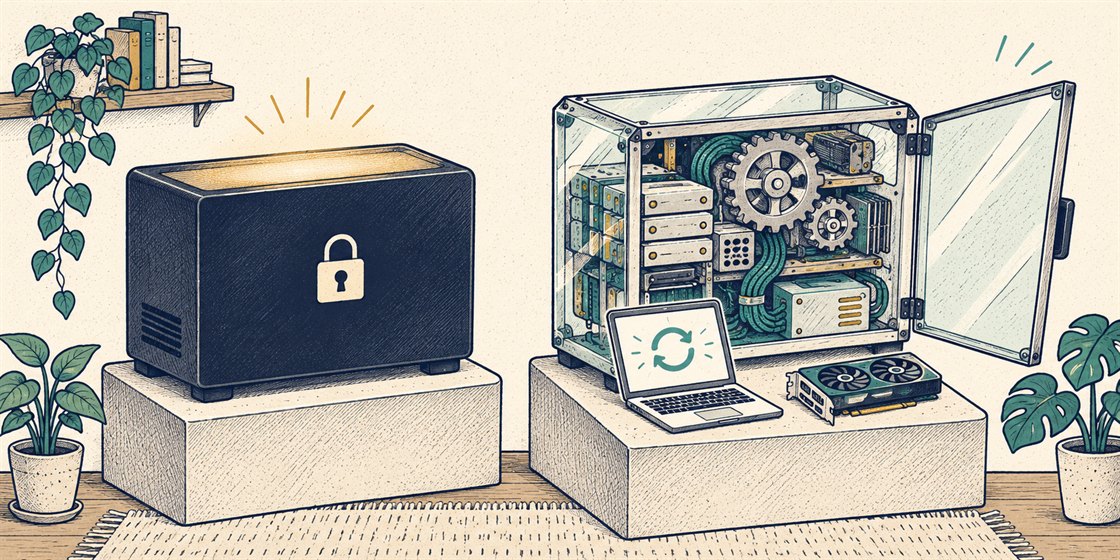
Save, and the models appear in the dropdown. One window, every brain. A caution on Anthropic: that address is a compatibility layer, and Anthropic describes it as mainly for trying things out. A few features, like prompt caching, don't come through it. It's perfect for chatting. For anything serious later, you'd use their native API. I'd start with OpenRouter if you want the least friction, then add Anthropic once you know which model you like. Rented brains vs. owned brainsEverything above is renting. The model lives on someone else's computer, and you pay per use. There's another kind, and it's the reason I care about all this. Some labs publish their models' weights, the actual files, so anyone can download them and run them on their own hardware. These are called open-weight models. Gemma, Llama, Qwen and Mistral are the names you'll see most. The big "frontier" models from Anthropic, OpenAI and Google stay on the companies' servers.
I use both. The hard stuff goes to a frontier model. The everyday jobs run on Gemma, on a GPU box in my house, and cost me electricity. Same chat window for both. I pick per task. Why keep the local option aliveI don't think local models beat the big ones today, and I won't pretend they do. I think it matters that they exist and stay good enough, for a few plain reasons:
Open-weight models are also why the cheap end of the menu keeps getting cheaper. Competition works. A word about November 19th
Grand Theft Tokens VI. Original artwork, no affiliation. Grand Theft Auto VI comes out on November 19th, which is two days after this lands in your inbox. If you're one of the several million people who've been waiting for it, I'd like to say I understand if this issue goes unread until sometime in January. Here's the good news. It's a console game, so no PC owner's graphics card is being drafted into Vice City duty, and that card can run a local model while you're busy. The bad news is that you'll want to be playing. The model will wait. That's the whole point of owning it. If you do get lost in it, set your spend limit first. Your challenge this week
If you want to go one step further, install Ollama on a computer with a decent graphics card (or a recent Mac), pull a small open model, and it shows up in the same dropdown. That's your own brain, with no meter running. Next time: the tiny agent, for real this time. Now you'll have a brain to give it. — Abid P.S. Stuck on a step? Reply with where you got stuck, plus a screenshot with the key blurred out. I read every one. |
||||||||||||||||||||||||||||||||||||||||||||
|
Enjoying this? If you think someone else would find it useful, forward it their way — they can subscribe at abidc.dev. |